How to Change Your Outfit and Use DLC Costumes in Scroll of Taiwu
Clothing and Armor are two separate systems in Scroll of Taiwu. This guide explains how Clothing items work, how they differ from Armor, how to equip them, and how to activate and use DLC costume packs.
Clothing vs Armor: two different things
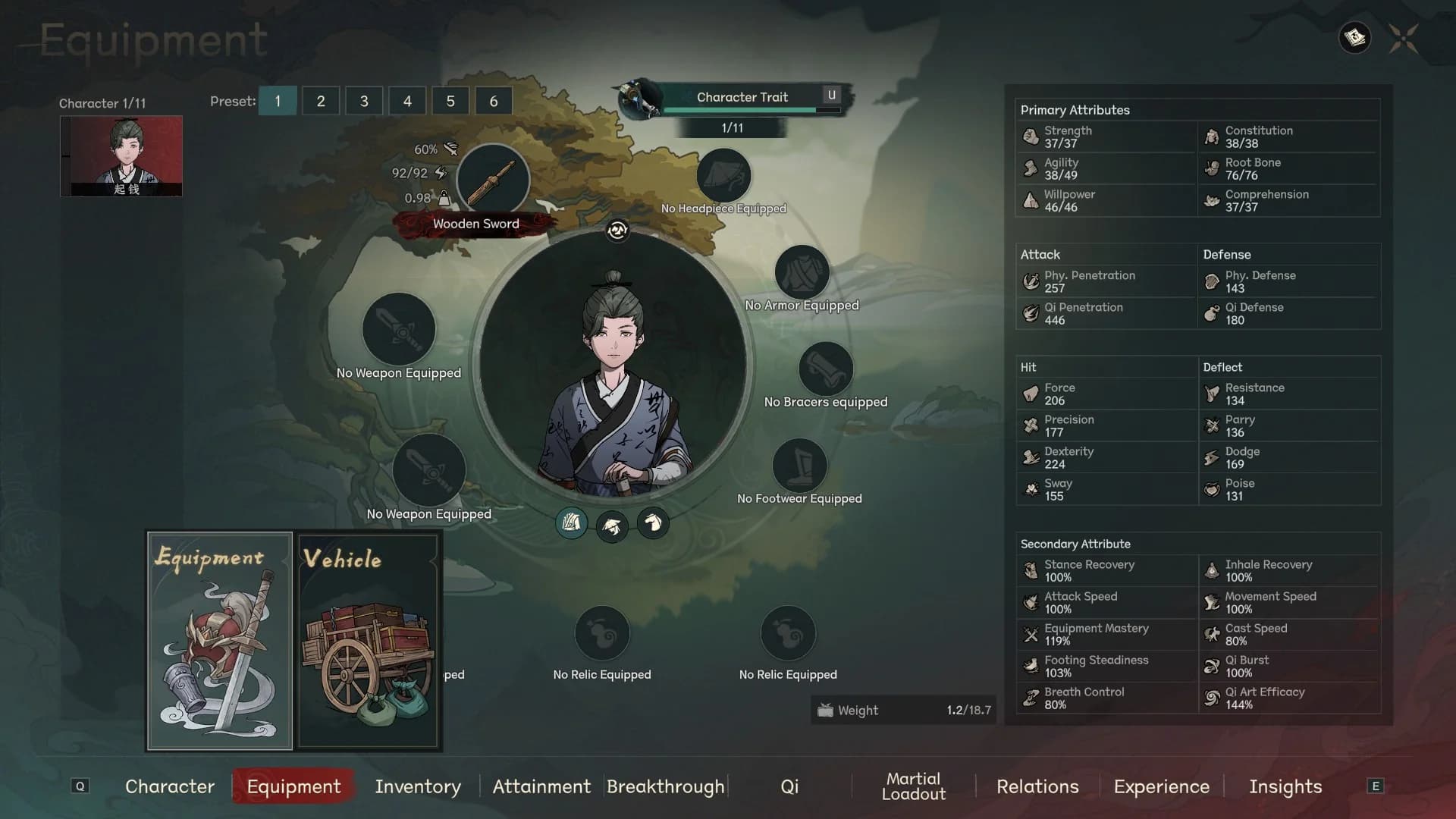
The Equipment screen (Q → Equipment tab) has slots for Headpiece, Armor, Bracers, Footwear, Weapons, and Relics. These slots hold combat-oriented items that give Physical Defense, Qi Defense, and other battle stats.
Clothing items (服装 / 衣物) are a separate category. They sit in your Inventory under the Clothing type and provide Charm (魅力) rather than defense. Charm affects how NPCs react to you in dialogue and social interactions. A higher Charm score unlocks more favorable outcomes in certain conversations.
Because Clothing and Armor are separate, you can wear a cosmetic outfit and still have armor equipped at the same time — or walk around in your Clothing with the armor slots empty, as the Equipment screen shows when no armor pieces have been picked up yet.
- Equipment slots (Headpiece, Armor, Bracers, Footwear) → combat stats.
- Clothing items → Charm stat only, no defense contribution.
- Both can be used simultaneously — they do not share a slot.
- The character portrait updates to reflect whichever Clothing item is active.
Finding and equipping a Clothing item
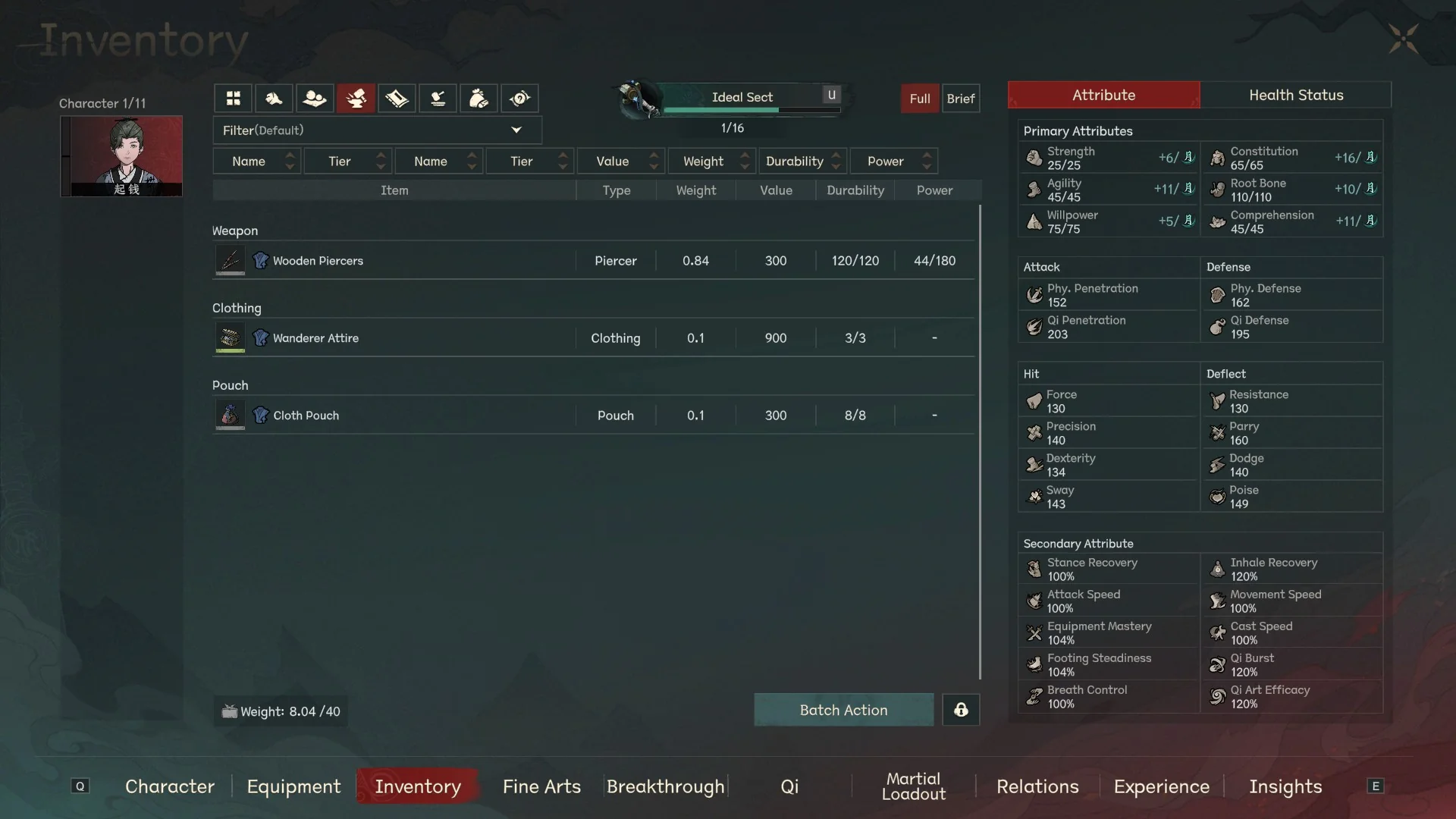
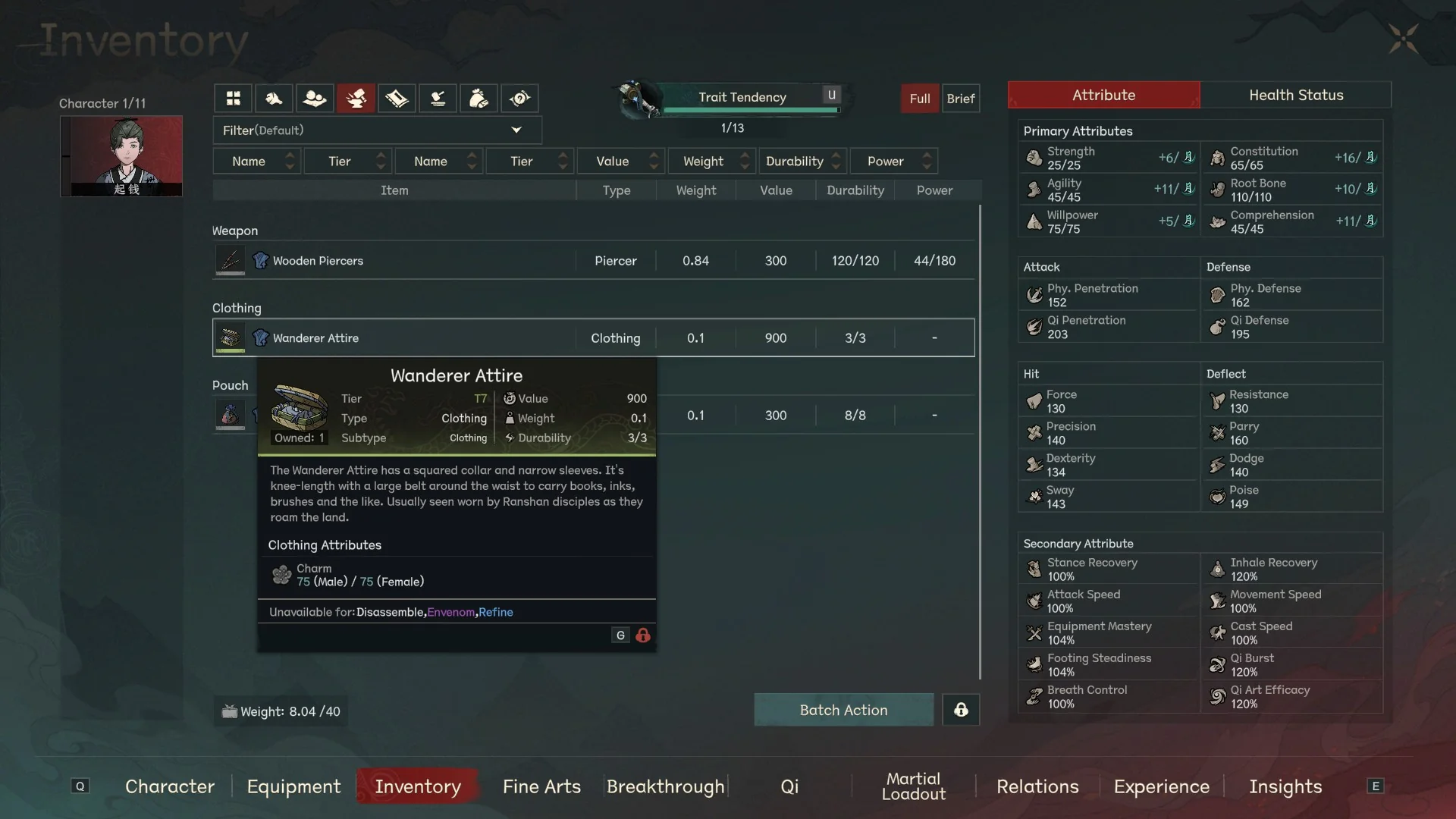
Open your Inventory (Q → Inventory tab) and filter or scroll to find items with the Type listed as Clothing. The Wanderer Attire (行脚衣) is the default piece most characters start with — it is a Tier 17 Clothing item that provides 75 Charm for both male and female characters.
To change your outfit, locate a different Clothing item in your Inventory. Right-click it (or use the action menu) to equip it. The character portrait in the center of most character screens will update immediately to show the new look.
Clothing items cannot be Disassembled, Envenomed, or Refined — those actions are restricted on the Clothing subtype. You can, however, let them degrade through use; once Durability reaches 0 the item stops functioning, so repair it at a craftsman NPC or via crafting before it breaks.
- Inventory → filter by Clothing type to find wearable outfits.
- Wanderer Attire (行脚衣) = default starting outfit, Tier 17, Charm 75.
- Right-click a Clothing item to equip — portrait updates instantly.
- Clothing cannot be Disassembled, Envenomed, or Refined.
- Repair Clothing before Durability hits 0 or it stops working.
DLC costumes: how to get and use them
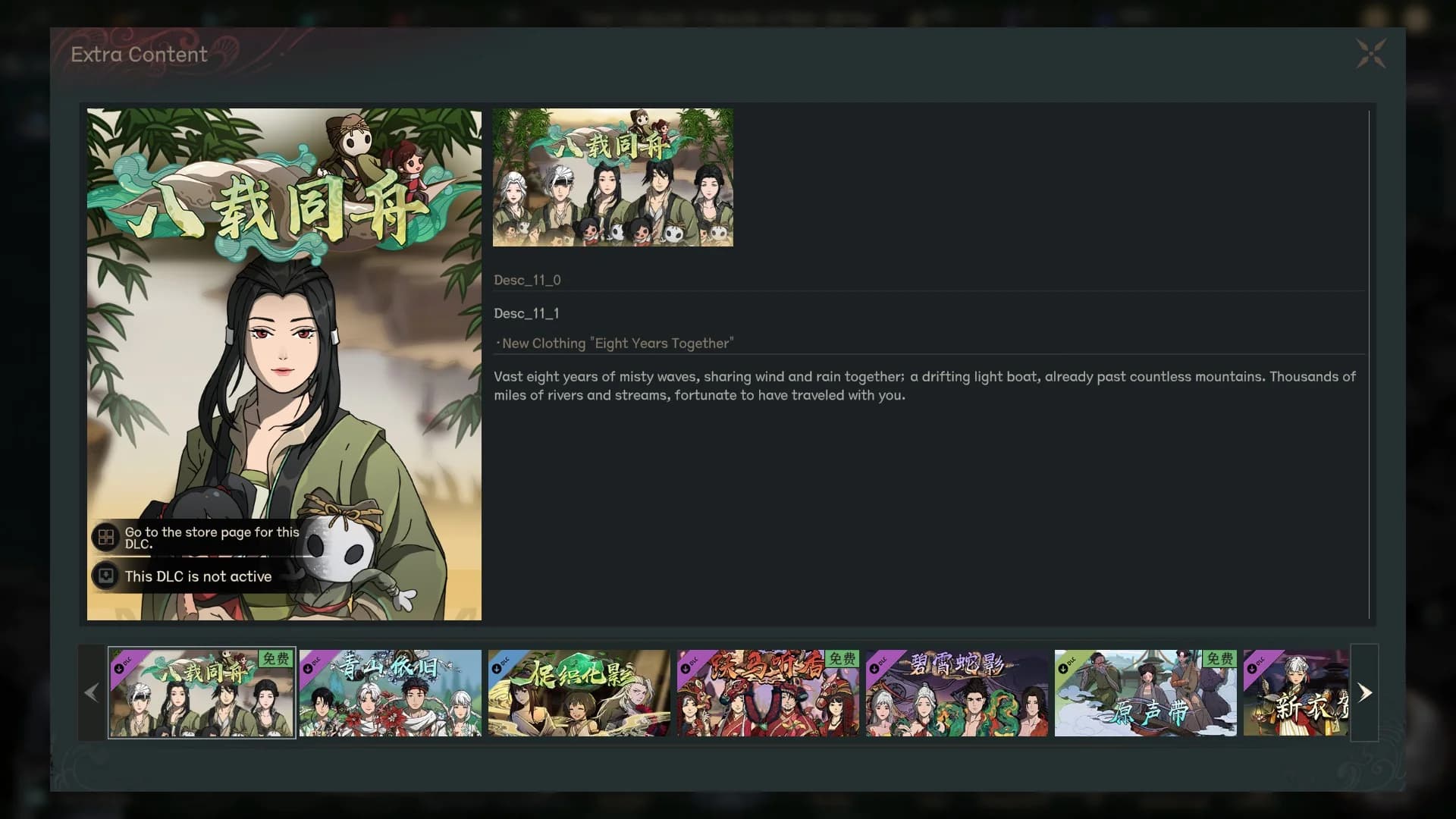
Several paid DLC packs add new Clothing items — cosmetic outfits that show up in your character portrait but do not change combat stats. Examples include 八载同舟 (Eight Years Together), 奇山依旧 (The Old Mountain Remains), 尽绽花影 (Full Bloom), and others visible in the in-game Extra Content screen.
To use a DLC costume, you need three things: own the DLC in your Steam account, have it installed (Steam library → manage DLC → install), and have the game detect it as active. If the in-game Extra Content screen shows 'This DLC is not active,' that means Steam has not finished installing the pack or it was not enabled — go back to Steam, find the DLC under Manage DLC for Scroll of Taiwu, and make sure it is checked and fully downloaded.
Once a costume DLC is active, its Clothing items should appear automatically in your character's Inventory. If you do not see them, try closing and restarting the game after the DLC finishes installing. Complete Edition owners should already have all bundled costume DLC in their library — verify under Manage DLC rather than the store page, since store badges can lag behind.
- Own the DLC → install it in Steam → relaunch the game.
- 'This DLC is not active' = DLC is not installed or not enabled in Steam.
- DLC Clothing items appear in Inventory once the pack is active.
- No new slot needed — DLC costumes use the same Clothing system.
- Complete Edition owners: check Manage DLC in Steam, not the store badge.
- Cosmetic DLC does not affect combat stats — only the character portrait and Charm value.
What Charm actually does — and its two sources
Charm (魅力) is a social stat that influences NPC dialogue options and the success rate of social actions — persuasion, gifting, and first impressions. Higher Charm can open dialogue branches that lower scores cannot reach. It does not affect combat.
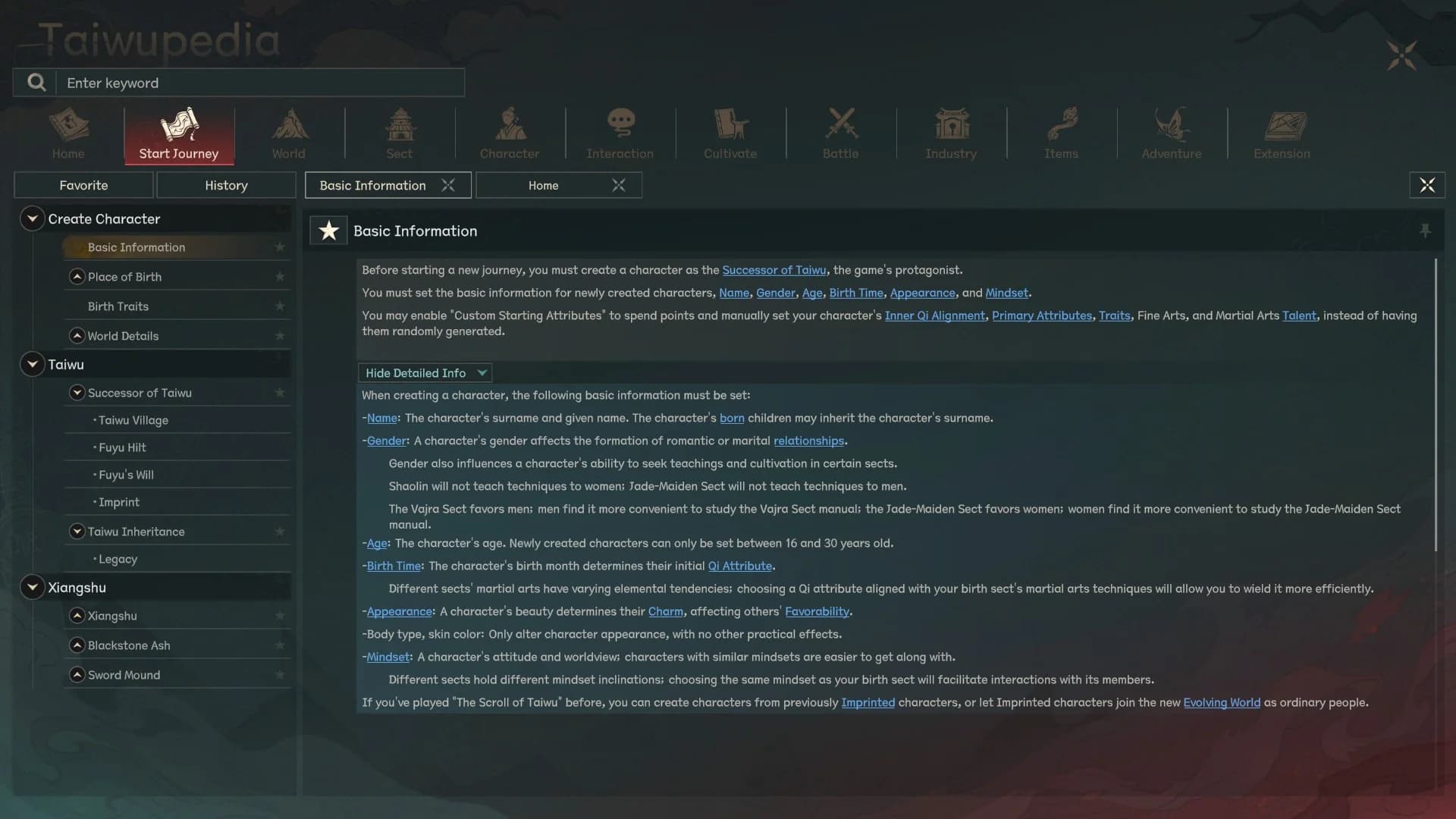
Charm has two separate sources in Taiwu. The first is your character's Beauty at creation time: the Taiwupedia entry for Basic Information states directly that 'a character's beauty determines their Charm, affecting others' Favorability.' The second source is your equipped Clothing item, which adds its own Charm value on top. Body type and skin color — the other Appearance settings — only change how the character looks and have no practical effect on any stat.
In practice this means two characters with identical Clothing can have different Charm totals if their Beauty scores differ. And a character who swaps to a higher-Charm Clothing item will always raise their Charm, regardless of their Beauty baseline.
- Charm source 1: Beauty (set during character creation) — affects base Charm and NPC Favorability.
- Charm source 2: Clothing item — adds Charm on top of the Beauty baseline.
- Body type and skin color: purely cosmetic, zero stat effect (confirmed in Taiwupedia).
- Higher total Charm opens more dialogue choices and improves social action success.
- Swapping Clothing has no cooldown or gold cost — only Durability matters.
Related paths
FAQ
How do I change my character's outfit in Scroll of Taiwu?
Open the Inventory tab (Q → Inventory), find an item with Type: Clothing, and right-click it to equip. The character portrait updates instantly. The Wanderer Attire (行脚衣) is the default starting outfit; swap to any other Clothing item you find or unlock.
Why does my character look the same even after I equip new armor?
Clothing and Armor are separate systems. Armor goes into the Equipment slots (Headpiece, Armor, Bracers, Footwear) and changes your combat stats. The character portrait cosmetic look is driven by your equipped Clothing item, which is a different item type found in the Inventory. Equipping new armor does not change the portrait — equip a different Clothing item to change the look.
How do I use DLC costumes?
Own the DLC in Steam, install it via Manage DLC on the game's Steam library page, and relaunch the game. The DLC Clothing item will then appear in your character's Inventory. If the in-game Extra Content screen shows 'This DLC is not active,' the DLC has not finished installing or is not enabled in Steam.
Why does the Extra Content screen say 'This DLC is not active'?
The DLC is either not installed or not enabled. In Steam, go to your library, right-click Scroll of Taiwu → Manage → DLC, find the costume pack, and make sure it is checked and fully downloaded. Then relaunch the game.
What is the Charm stat on Clothing items?
Charm (魅力) is a social stat that affects NPC dialogue options and the success of social actions like persuasion and gifting. Clothing items add Charm on top of the Beauty baseline set during character creation. Higher total Charm unlocks dialogue branches and improves social action success.
Does the Appearance setting in character creation affect gameplay?
Yes, partially. The Beauty aspect of Appearance determines your base Charm stat, which affects NPC Favorability and dialogue options. However, body type and skin color — the other Appearance sliders — only change how the character looks and have no practical effect on any stat. This is stated explicitly in the in-game Taiwupedia under Basic Information.
Can I wear Clothing and Armor at the same time?
Yes. Clothing and Armor use separate slot systems. You can have a cosmetic outfit equipped and still use Headpiece, Armor, Bracers, and Footwear slots normally. They do not conflict.
Why can't I Disassemble or Refine my Clothing item?
All Clothing-subtype items are marked unavailable for Disassemble, Envenom, and Refine — this is intentional, not a bug. You can repair them at craftsman NPCs once Durability gets low.